Microsoft Teams Calling — Direct Routing for Business
Turn Microsoft Teams into your business phone. Direct Routing vs Calling Plans vs Operator Connect in plain English, what you need, and when 3CX fits better.
Your team already lives in Microsoft Teams — so why pay for a second phone system alongside it? Direct Routing turns Teams into your business phone: your people dial mobiles, landlines and 1300 numbers, and take external calls, right inside the app they already have open all day. SIP Connect runs the entire carrier side, so there’s no SBC for you to buy, deploy or manage — we set it up, port your numbers, and answer the phone from Greensborough when you need us.
Direct Routing, end to end
Teams becomes your phone system, and the calls run over our SIP trunks instead of Microsoft’s calling minutes.
- 1
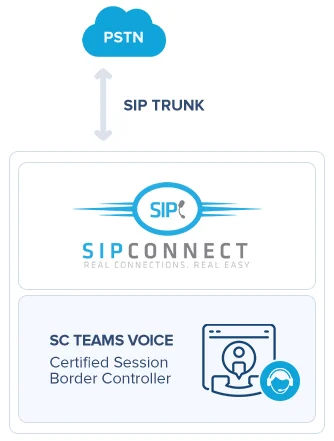
Your numbers and the PSTN
Your 1300, 1800 and local numbers stay yours. They reach Microsoft through a SIP trunk into our certified Session Border Controller — no Microsoft Calling Plan, no per-minute Microsoft rates.
- 2
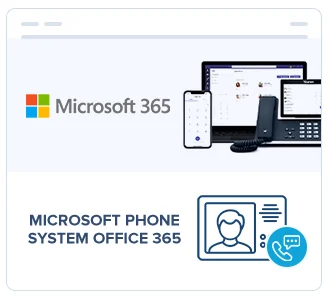
Microsoft Phone System
The Phone System licence in Microsoft 365 turns Teams into your PBX — call queues, auto attendants, transfer, hold and voicemail, administered where your IT already lives.
- 3
Teams on every device
Your team makes and takes calls in the Teams app they already use — desktop, browser or mobile — plus Teams-certified desk phones where a handset still makes sense.
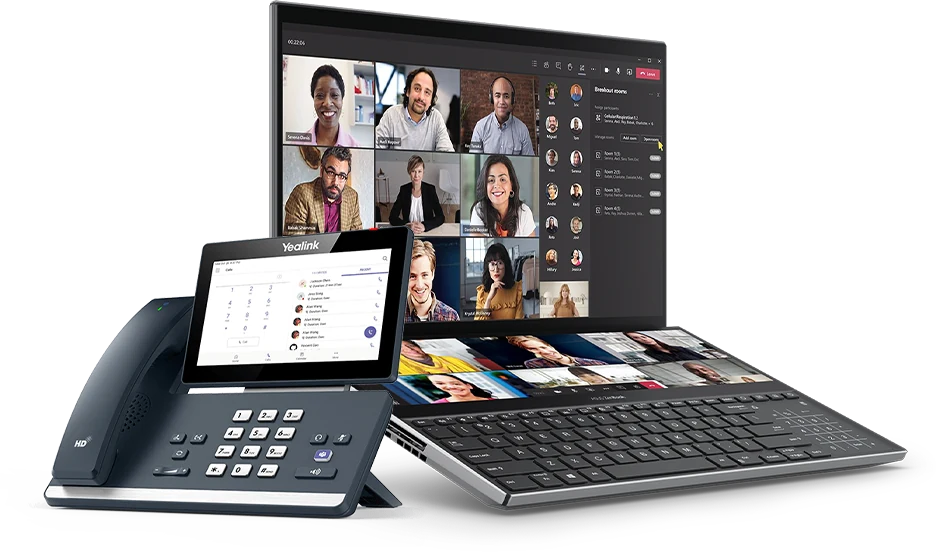
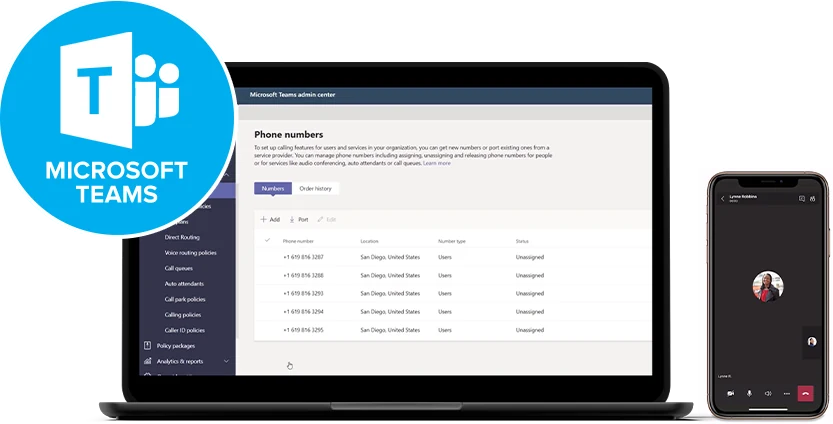
What you get
- Meetings and calls in one appNo second dialler to learn or licence.
- Calls over your own SIP trunksAustralian rates, not Microsoft calling minutes.
- Keep every existing numberPorted across, ringing in Teams on cutover day.
- Desk, desktop and mobileThe same extension wherever your people are.
- Hold, transfer and parkFull call handling, not just person-to-person calls.
- Call recordingOn the queues and users you choose, retained as you decide.
- Voicemail to emailTranscribed and delivered to the inbox.
- Video and conferencingBuilt into the licence you already pay for.
- Presence and call queuesSee who is free before you transfer a caller.





Microsoft, Microsoft 365 and Microsoft Teams are trade marks of Microsoft Corporation. Yealink is a trade mark of Yealink Network Technology.
Which phone system fits your business?
We're vendor-neutral, so here's the honest shortlist. Not sure which to pick? A free bill analysis sorts it in minutes.
3CX
- Licensed by simultaneous calls, not users
- Free inter-office & branch calls
- Video for up to 250 people + live chat
Microsoft Teams
- Make & take calls inside Teams
- Direct Routing — no SBC to manage
- One app for chat, meetings & calls
Hosted PBX
- Enterprise features in the cloud
- Nothing to rack or maintain
- Add or remove users with a call
Teams can’t reach the phone network on its own
Out of the box, Teams calls other Teams users. That’s it. To ring an outside number, or to have a customer ring you, Teams needs calling capability plumbed in, and Microsoft gives you three ways to do it: Calling Plans, Operator Connect and Direct Routing. All three end up in the same place — a dial pad in Teams and a real phone number against each user — but they differ on who owns your numbers, what the bill looks like, and who picks up when something breaks.
One thing they share: every person who makes or takes external calls needs a Teams Phone licence from Microsoft. Some Microsoft 365 plans already include it, and on most it’s a per-user add-on. We check what your tenant is already paying for before anyone buys another licence.
Calling Plans, Operator Connect and Direct Routing
Microsoft Calling Plans are bought straight from Microsoft as a per-user monthly add-on with a bundle of minutes. Everything lands on the Microsoft 365 invoice and there’s no separate carrier to arrange. Your numbers are provisioned by Microsoft, with existing ones ported in, and when calls misbehave you raise it with Microsoft. Simplest to buy; least room to move on price.
Operator Connect puts a participating carrier in the middle. The operator supplies the numbers and the voice service, you attach it from the Teams admin centre in a few clicks, and Microsoft manages the join between the two. It’s tidy. The catch is that it’s a closed list: you can only use an operator Microsoft has admitted to the program, and that list is short and skews to the larger carriers. If none of them suit you, or none of them sell the way you want to buy, the option simply isn’t open.
Direct Routing connects Teams to the public phone network through a carrier of your choosing, over SIP trunks and a session border controller. It exists so businesses can bring their own carrier instead of being locked to Microsoft’s call rates. Your numbers stay yours, your call rates are carrier rates, and your support call comes to us. The trade-off is that somebody has to run the SBC — and that somebody is us, not you.
The four questions that actually decide it
Strip away the network diagrams and the choice comes down to four things a business owner can answer without an engineering degree:
Licensing.
All three need a Teams Phone licence for each calling user — that part is constant. Calling Plans then add a second per-user fee for the minutes. With Operator Connect and Direct Routing, the calling side sits on a carrier bill instead.
Number ownership.
Under Calling Plans your numbers live inside Microsoft. Under Direct Routing they sit on an Australian carrier’s range alongside your 1300 and 1800 numbers, which keeps your options open if you ever change platform again.
Cost shape.
Calling Plans are a flat fee per head, whether that person makes two calls a week or two hundred. Direct Routing is a smaller fixed component plus what you actually use, so mixed teams — one busy reception desk and forty occasional callers — usually come out ahead.
Who you call when it breaks.
With Calling Plans it’s a support ticket with Microsoft. With Direct Routing through SIP Connect it’s 1300 747 266, and a person in Greensborough who can look at your trunk while you’re still on the line.
We’ve set the cost side out in more detail, including the cases where Calling Plans genuinely win, in Direct Routing vs Calling Plans.
What Direct Routing needs, and what we run for you
The list is shorter than most people expect. You need Teams Phone licences for the staff who need an outside line. You need a carrier voice service, which is our SIP trunks. You need the numbers themselves, either ported across from your current provider or issued new. And you need a session border controller sitting between Teams and the phone network, translating between the two and keeping the connection secure.
That last piece is the one businesses dread, and it’s the one you never touch. We run the SBC as a managed service on our side of the network. Nothing goes in your comms cupboard, there’s no certificate to renew at 11pm, and there’s no firmware for your IT person to patch. What we do need from you is admin access to your Microsoft 365 tenant for the configuration, and a business-grade connection with enough upload to carry your busiest hour — business NBN, gigabit fibre or 5G fixed wireless, which we can supply and tune for voice while we’re at it.
What the rollout looks like
None of this needs to be a big-bang weekend. A normal Teams calling build runs like this:
We audit what you have
— your Microsoft 365 licences, your current lines and numbers, and what your last bill is actually charging you for.
We design the call flows
— who rings where, after-hours handling, the auto-attendant menu, and which queues need which people in them.
We build the carrier side
— trunks, routing rules, emergency calling details and the SBC, all configured and tested before anything at your end changes.
We port your numbers
— scheduled so they go live on the new service before the old one closes, so the phones keep ringing straight through the cutover.
We train your team, then stay on the end of the phone
— dial pad, transfers, queues and voicemail, and a real person to call the next morning when somebody asks a question.
Most builds go live in days, not weeks. The number port usually sets the pace, which is why we start it early rather than leaving it to the end.
When Teams calling is the wrong answer
Teams calling suits businesses whose people genuinely live in Teams all day and whose call handling is fairly simple. It’s a poor fit when the phone is the business. If you run a busy reception desk, layered queues, overflow between sites, wallboards, or you want call reporting and recording as standard rather than as another add-on, a 3CX phone system will usually handle it better and cost less — 3CX is licensed by simultaneous calls rather than per user, so a forty-person team that’s never on more than eight calls at once licenses for eight. If half your staff don’t hold a Microsoft 365 licence at all, or they don’t really work in Teams, the same logic applies and a hosted PBX is often the cleaner answer.
We’re vendor-neutral, so that’s advice rather than a hedge. We’re also a 3CX Partner, which means that when 3CX is the better fit we can say so and then actually build it properly. If you’d rather weigh it up yourself first, the long-form comparison is on 3CX vs Microsoft Teams Phone.
We would rather lose the Teams sale than sell you a phone system your reception desk fights every day.
Set up by a local team, supported by the same one
If copper retirement, an ageing PBX or the withdrawal of Telstra Calling for Office 365 is forcing your hand, Teams Direct Routing is a clean landing spot. We migrate businesses off ageing NEC systems, support existing Cisco setups and move Telstra DOT customers across, keeping the numbers and avoiding downtime along the way.
Want the real figure for your business? Send us a recent bill for a free bill analysis, our bill reviews have identified savings of up to 65%. Or call 1300 747 266 and talk to a person in Greensborough who does this every week. If you’re elsewhere across the metro, our Teams Direct Routing in Melbourne page covers the local side. Real Connections. Real Easy.
Frequently asked questions
Do we need a Teams Phone licence for every staff member?
Only for the people who make and take external calls. Staff who just chat and meet inside Teams don’t need one, and that alone can take a decent chunk out of the quote. We audit your Microsoft 365 tenant first and tell you what you already have — plenty of businesses are paying for calling capability nobody ever switched on.
Do we have to buy or manage an SBC?
No. The session border controller is the piece that connects Teams to the phone network, and we run it as a managed service on our side. There’s no box for your comms cupboard, no certificates to renew and no firmware for your IT person to patch — your staff just use Teams.
Can we keep our existing phone numbers?
Yes. We port your numbers across — landlines, direct dials, 1300 and 1800 numbers — and schedule the cutover so they go live on the new service before the old one closes. Your customers keep dialling the same number and never notice the change.
What is the difference between Direct Routing and Operator Connect?
Both put a carrier between Teams and the phone network. Operator Connect is a Microsoft program: you choose from the operators Microsoft has admitted to it and attach the service from the Teams admin centre in a few clicks. Direct Routing connects any carrier through a session border controller, so you aren’t limited to that list, you can route calls to equipment Teams can’t reach on its own, and your call rates come from a carrier you chose rather than one Microsoft picked for you.
Is Direct Routing cheaper than Microsoft Calling Plans?
Usually, and the gap widens as you add people — but not always. For a handful of staff who all make roughly the same number of calls and value a single Microsoft invoice, Calling Plans can be the tidier buy. For mixed teams, higher call volumes or anyone who wants Australian carrier rates, Direct Routing normally wins. Send us a recent bill and our free bill analysis will show the actual difference for your business rather than an average.
Can we use our existing desk phones with Teams?
Sometimes, but not often. Teams wants handsets certified for it, and most older SIP desk phones can’t register to Teams directly. We check exactly what you have before you spend anything — and if your handsets are still in good shape, that is one of the honest arguments for putting them on a 3CX phone system instead, where they will almost certainly work as they are.
What happens to our fax, alarm and EFTPOS lines?
Teams calling carries voice for people, not machines, so those services need their own path and we plan them in rather than discovering them on cutover day. The industry standard for monitored fire alarms and lift phones has moved to 4G and 5G, and EFTPOS terminals normally run over your internet or their own mobile connection. We go through every line on your bill before we quote, so nothing gets stranded.
Telstra Calling for Office 365 is being withdrawn. What should we do?
Move the calling side to another carrier and stay exactly where you are in Teams. Telstra has had it on stop-sell since late August 2026, with full withdrawal by late November 2026, so the useful window is now rather than in the final month when every other customer is porting at once. Direct Routing is the closest like-for-like replacement, and your numbers come with you.
What happens to our calls if the internet goes down?
Inbound calls can divert automatically to mobiles or to another site, so customers still get through. If you want the connection itself covered, we can add internet failover or a 5G fixed wireless backup that takes over on its own when the main service drops.
How long does it take, and do you cover our area?
Most Teams calling builds go live in days, not weeks, with the number port setting the pace. We’re based at Greensborough Plaza and work across north-east Melbourne and the wider metro, and we look after businesses further afield too. Call 1300 747 266 or email sales@sipconnect.com.au and we’ll map out your move.
Teams calling in Melbourne
Direct Routing designed, connected and supported locally.
Get a free bill analysis — and stop overpaying
Send us a recent phone or internet bill. We’ll show you exactly where the waste is — our bill reviews have identified savings of up to 65%.