3CX Phone System, Licensed by Calls, Not by Headcount
3CX phone systems designed, hosted and supported from Greensborough. Licensed by simultaneous calls, not per user. Numbers kept. Live in days, not weeks.

We are a Gold 3CX Partner, and we run 3CX every day
SIP Connect is a Gold 3CX Partner — the accreditation 3CX gives partners with certified engineers and a track record of live deployments. We design, host, configure and support 3CX for Australian businesses, with local numbers and one team accountable for the phone system and the lines underneath it.
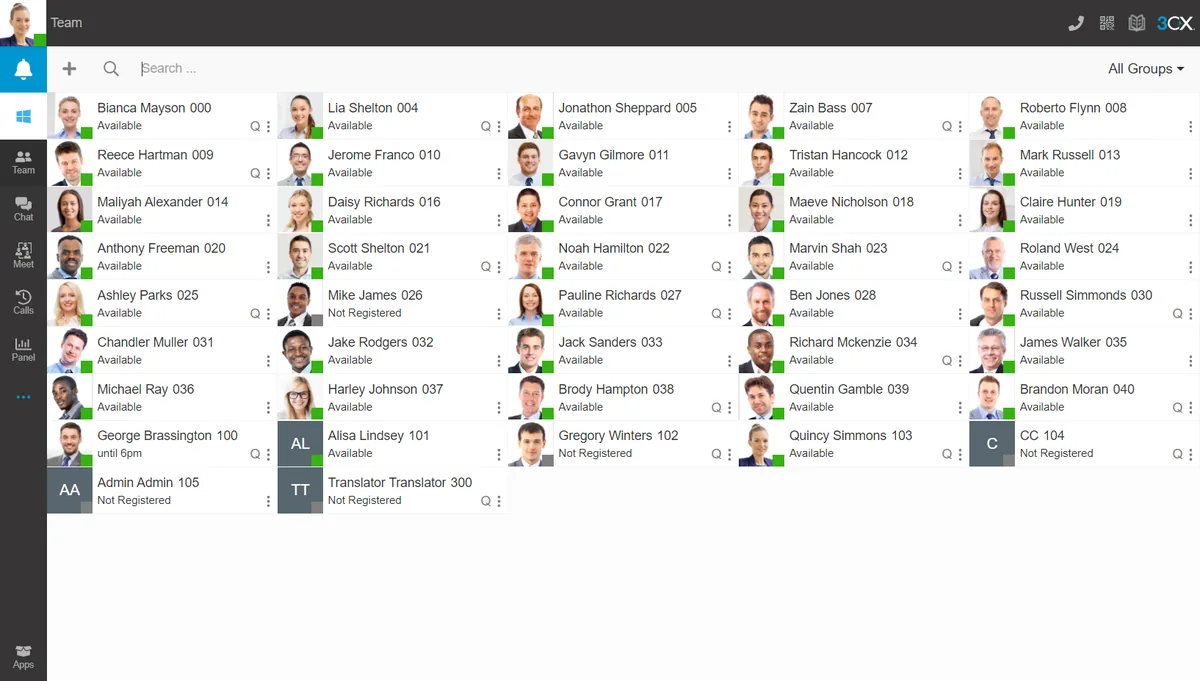
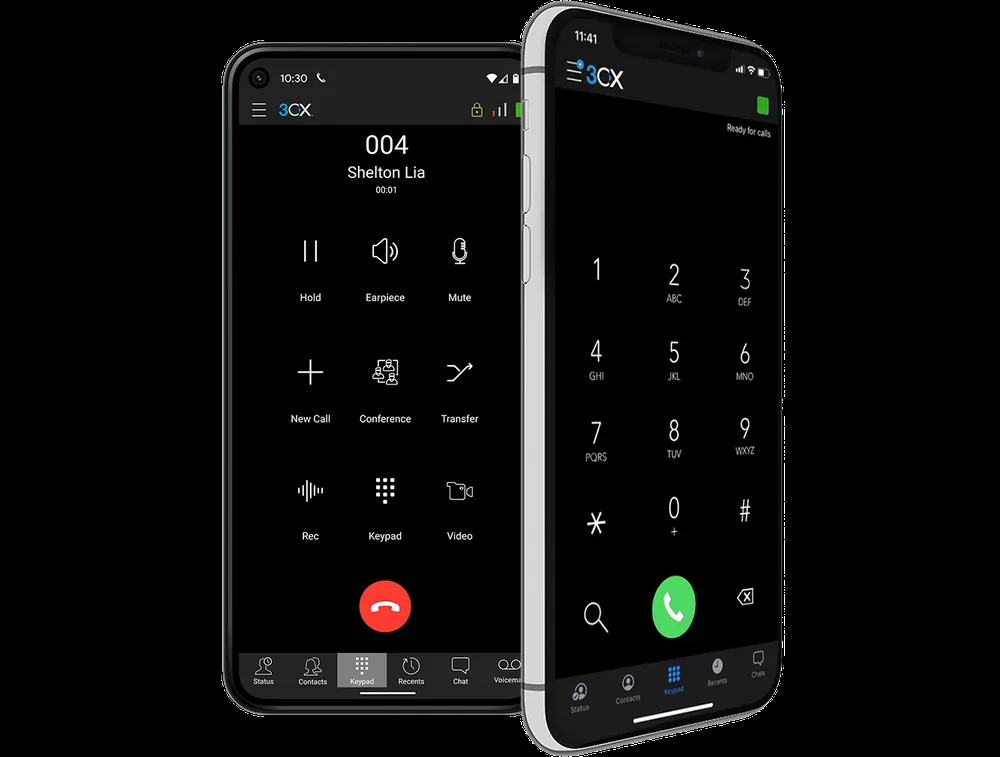
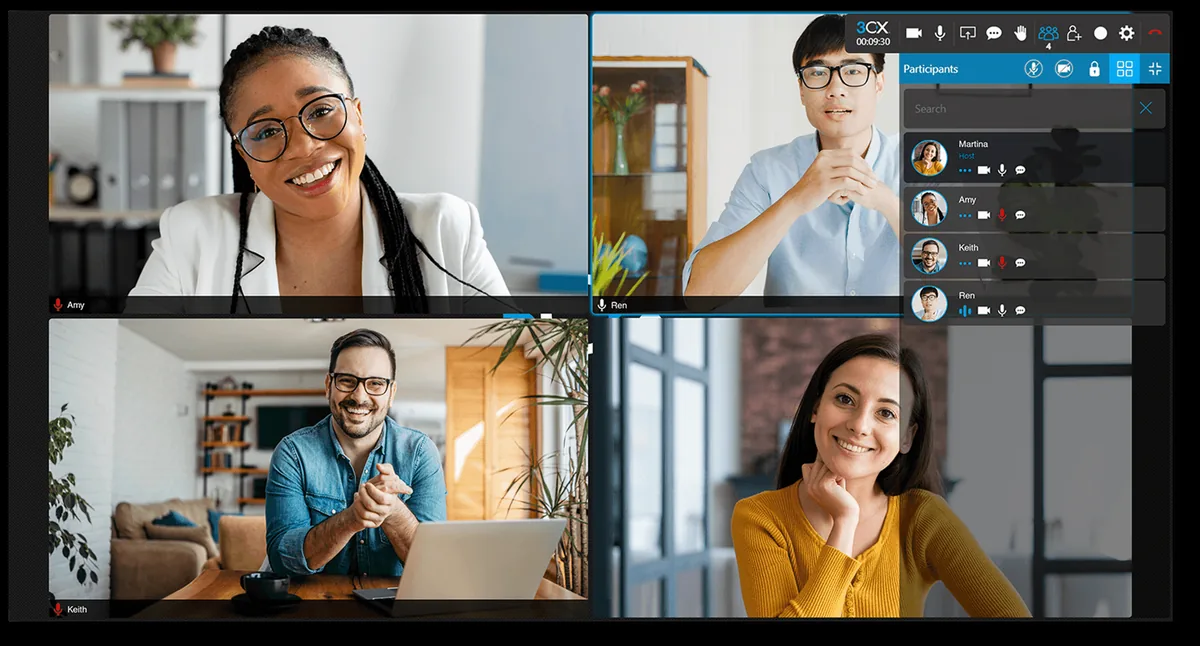
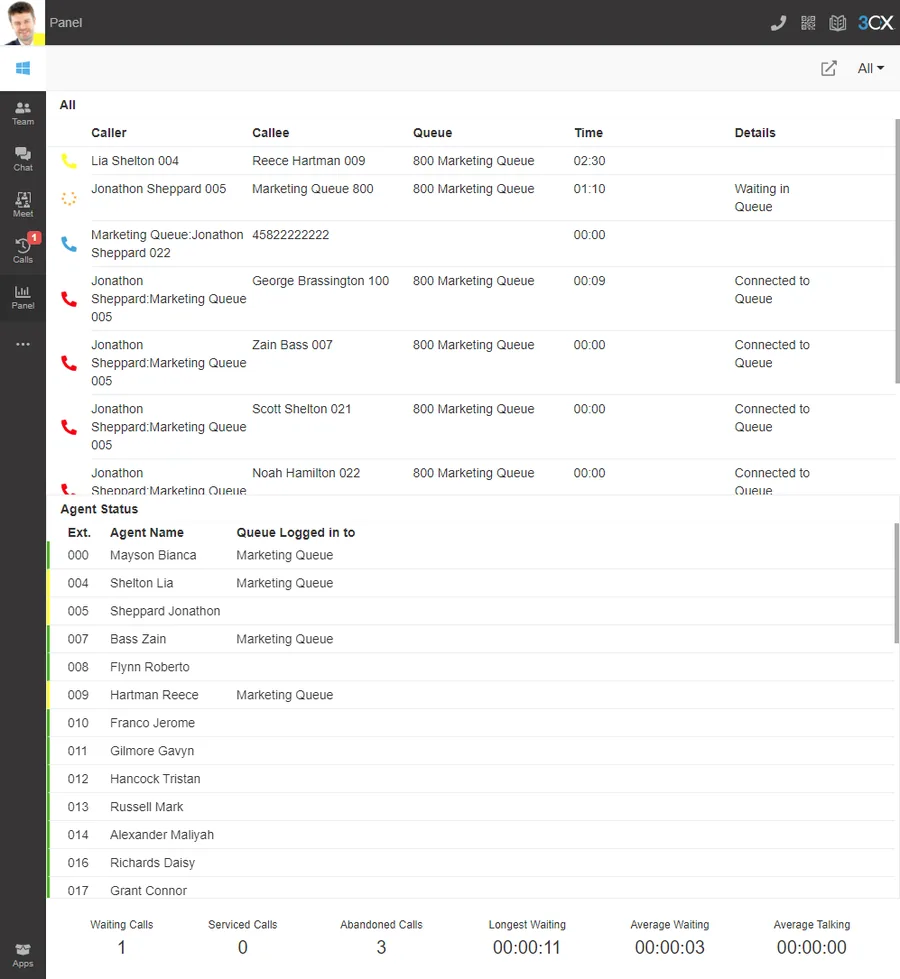
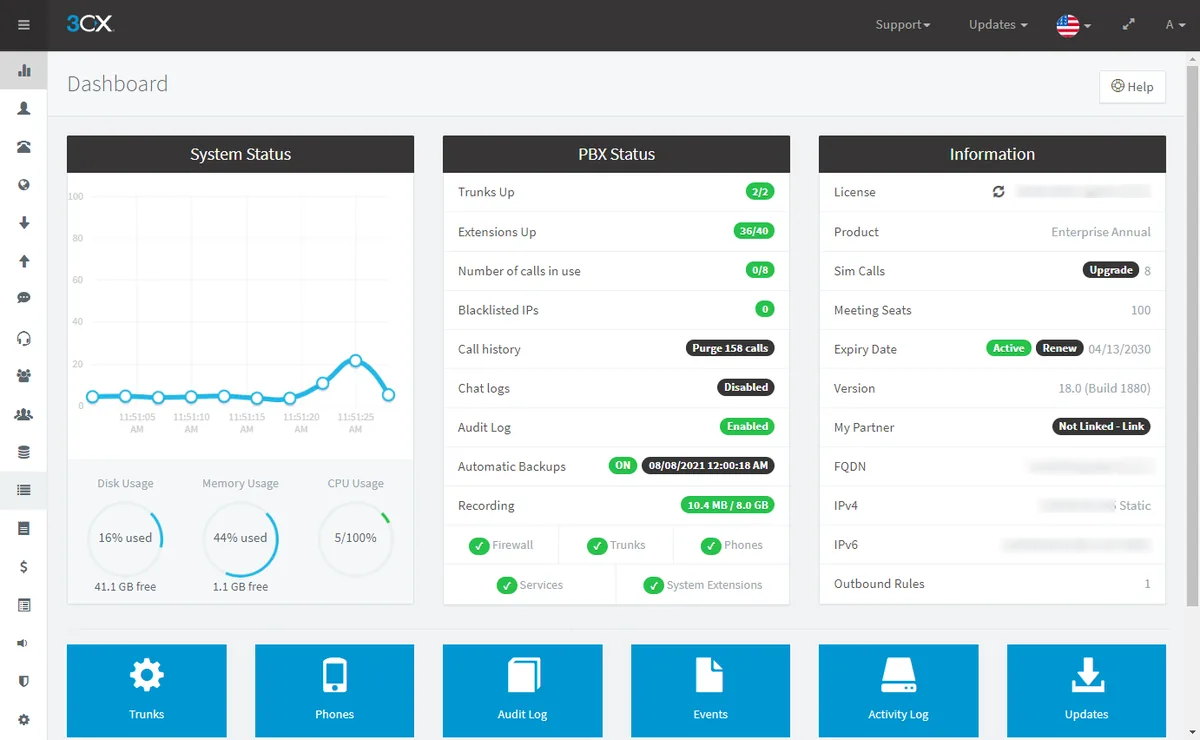
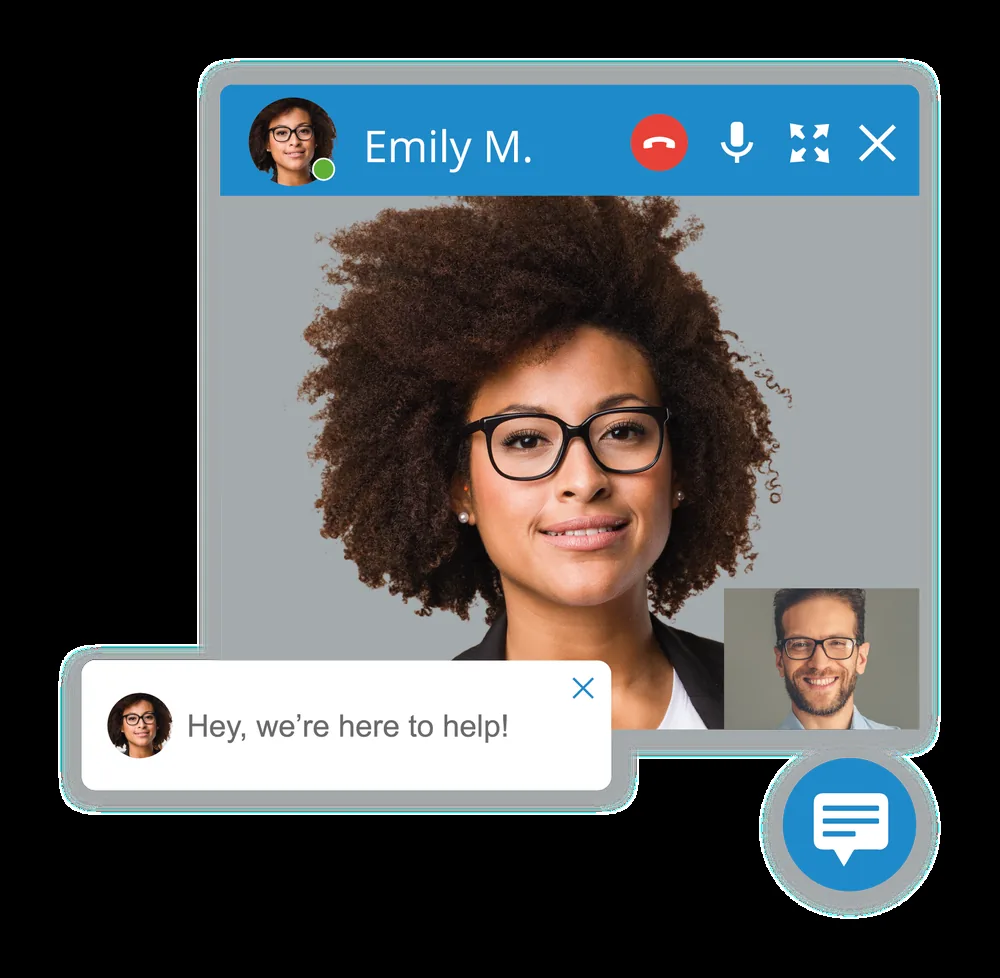
Product images supplied by 3CX. 3CX and the 3CX logo are trade marks of 3CX Software.
Most phone system quotes charge you per person, per handset and per feature — then add a box in the comms cupboard that becomes your problem the day it fails. 3CX doesn’t work that way. It is software: you license the number of calls you can run at once, extensions are free, and the system lives wherever suits you. SIP Connect designs it, sizes it, ports your numbers and supports it from Greensborough.
3CX is the system we install most often, and not because we sell it — because the maths usually works. We’re vendor-neutral, which matters more than any logo: if your business would be better off on a hosted PBX or on Microsoft Teams calling, we’ll say so. Downloading 3CX is the easy part; sizing it, securing it and answering the phone when it misbehaves is the job.
Which phone system fits your business?
We're vendor-neutral, so here's the honest shortlist. Not sure which to pick? A free bill analysis sorts it in minutes.
3CX
- Licensed by simultaneous calls, not users
- Free inter-office & branch calls
- Video for up to 250 people + live chat
Microsoft Teams
- Make & take calls inside Teams
- Direct Routing — no SBC to manage
- One app for chat, meetings & calls
Hosted PBX
- Enterprise features in the cloud
- Nothing to rack or maintain
- Add or remove users with a call
One number, every path covered
3CX greets every caller, sends them to the right team, follows you to any device, and never drops a call after hours. Here's a typical flow we set up — and you can change it yourself in minutes.
Your phone system, set up and managed by us
We handle the 3CX admin so you don't have to — users and extensions, 2FA, IP-phone provisioning, and Microsoft 365, Google and Teams integration. Your team just makes and takes calls, anywhere.
Sample console — we provision and manage all of it for you.
What 3CX actually is
3CX is a software PBX — the brain that sits between your staff and the outside world and decides what happens on every call: who it rings, what callers hear, where messages land. Every person gets an extension that can ring on a desk phone, in a browser, on a laptop and on a mobile at the same time, so a head office, a home office and a ute on the freeway all run off one tidy system. You change who rings, record a new greeting or add a starter yourself, without booking a technician for every small edit.
To reach the outside phone network, 3CX needs lines. Those are SIP trunks — the internet-delivered replacement for ISDN and PSTN — and your existing numbers, including 1300 and 1800 numbers, sit on them. So a complete system is two parts: the 3CX licence, and the trunks that carry the calls. If you want the long version before you talk to anybody, our guide on what 3CX is covers it in plain English.
Licensing: you pay for calls, not people
This is the single most misunderstood point about 3CX, and it is where most of the saving comes from. 3CX is licensed by the number of simultaneous calls your business can run, not by headcount. Extensions are free and unlimited. A twenty-person office and a fifty-person office can sit on the same licence, because what you are buying is how many of those people can be on a call at the same moment — and in most businesses that is a fraction of the team.
The common tiers are Small (4 simultaneous calls), Medium (8) and Large (16) and up. As a rough rule of thumb, concurrent calls land somewhere near a third of your total users, but it swings hard by industry: a quiet professional services firm sits well below that, a busy support desk well above. Size it too small and you get busy tones at 9am; size it too large and you pay for headroom you will never touch. We size it against your real call records rather than a guess, and 3CX licensing explained sets out the tiers in full.
SIP trunks are sized the same way, by concurrent calls, so the two line up neatly and neither is priced off your staff list. Our bill reviews have identified savings of up to 65%. Send us a recent bill for a free bill analysis and we’ll show you the figure for your business instead of a brochure number.
Hosted, self-hosted or on-premise
3CX is the same product in all three cases. What changes is who is accountable for the server, where your call data sits, and what happens when the power or the internet drops. The honest trade-offs:
SIP Connect hosted.
We run it for you in a data centre — nothing on site, patching and backups handled, one predictable monthly fee. This is where most small and medium businesses land. The trade-off: you are relying on us to keep it patched and online, and if your office internet fails, the desk phones in that office can’t reach the cloud. Staff on the mobile and web apps keep working.
Self-hosted.
You run 3CX on your own cloud account — Google Cloud, AWS or Microsoft Azure — and hold the keys. It suits businesses with capable IT people, or specific rules about where data lives. The trade-off is real: operating-system updates, security hardening, firewall rules and backups all become yours, and a neglected PBX facing the public internet is a target.
On-premise.
The server sits in your building on Windows or Linux, with phones, network and people under one roof. It still makes sense for a single main site with reasons to keep call data on the premises. The trade-off: you own the hardware and its failures. If the server dies or the power goes out, the phones go with it.
For most Australian businesses hosted is the sensible default, and whether the server sits in Australia is a fair question to put to any provider — ours do. Our guide comparing 3CX hosting options works through each choice properly, and if you’d rather not think about the platform at all, a hosted PBX covers similar ground with less to manage.
The features you’ll actually use
3CX ships with a long feature list. These are the handful that change how a business runs day to day, each with a guide so you can see how it works before you commit to anything:
Call queues
hold callers in an orderly line and hand them out by strategy — Hunt/Ring all, Round robin, Least talk time or Longest waiting — instead of letting the overflow ring out. Pair them with ring groups where a small team should all ring together.
A digital receptionist
answers with a menu and gets callers to the right desk first time, while business hours and holiday routing sends the 6pm call somewhere sensible rather than to an empty office.
Mobile and web apps.
The mobile app puts the work number on an iPhone or Android without anyone handing out a personal mobile, and the Web Client turns any browser into a full office phone.
Call recording
for training and for settling what was actually agreed — switched on with your Australian notification obligations handled, not just ticked.
Call reporting
that answers what a phone bill never can: how many callers give up before you answer, at what time of day, and whether last week’s advertising rang the phone.
Included at no extra cost.
Calls between offices, branches and remote staff, video conferencing for up to 250 participants, and live chat on your website landing in the same place as your calls.
None of that is an add-on: queues, recording, reporting and the Call Flow Designer come with the system rather than behind an enterprise-tier upsell. What we will tell you is which of it is worth switching on for your business, because a menu nobody maintains is worse than no menu at all.
3CX and Microsoft Teams
If your team already lives in Teams all day, there are two genuinely different paths and it pays to know which one you are buying. The simple one: run 3CX alongside Teams, with staff using the 3CX apps for phone calls and Teams for chat, files and meetings. It works on day one and needs no extra Microsoft calling licence. The other: Direct Routing, where people dial and answer inside the Teams app itself and the phone line sits behind the scenes — and we set that up with no SBC for you to buy or babysit.
Neither is wrong. Businesses that want phones working quickly start with the first; businesses that want one app on every desk move to the second. Our guide on using 3CX with Microsoft Teams compares them, and 3CX vs Microsoft Teams takes the same question from the other direction.
Moving off your old PBX, numbers intact
Your numbers are printed on the van, the website and every customer’s phone, so keeping them is the whole point of doing this properly. We port your existing numbers across, run the old system and the new one side by side while the port completes, and cut over when the numbers land — the full sequence is in our guide to porting numbers to 3CX without downtime.
Coming off ageing hardware? We migrate businesses off ageing NEC systems and modernise Cisco IP PBX setups onto 3CX. In most cases your existing IP handsets come with you, because 3CX is open-platform and provisions Yealink, Fanvil, Snom and others automatically — so the desks barely change even though everything behind them does. The groundwork we do before anyone touches the system is set out in our 3CX rollout checklist.
What we do that a download doesn’t
Anyone can download 3CX. What takes the time is everything around it, and that is the part that decides whether the phones are better on Monday than they were on Friday.
Sizing and design.
We read your call patterns, set the licence tier and trunk capacity to match, and map every number to where it should land before a single handset moves.
The lines and the connection underneath.
We supply the SIP trunks and, if you want, the business internet the system runs on — so voice is prioritised from day one and nobody points the finger at another provider when a call sounds odd.
Security.
An exposed PBX is a toll-fraud target and the bill lands before you notice. We lock the system down — see securing 3CX against toll fraud — and keep backups we have actually tested a restore from.
Continuity.
Calls divert to mobiles or another site when something breaks. Add internet failover or 5G fixed wireless as a second path and the phones stay up through an outage.
Training, then a phone number that works.
We show your staff how to use it before we leave, and afterwards you reach a person in Greensborough on 1300 747 266 — no offshore call centre, no robots.
Rated 5.0 on Google, backed by over 80 years of combined industry experience.
Not sure 3CX is the right fit? We’re vendor-neutral, so we’ll recommend the platform that suits how you work — 3CX, a hosted PBX or Microsoft Teams calling — and if the answer is that you should stay put a while longer, we’ll tell you that too. Send us a recent bill for a free bill analysis, work through the full 3CX guide library, or call 1300 747 266 and talk it over with a local human. Real Connections. Real Easy.
Frequently asked questions
How much does a 3CX phone system cost?
There are two parts: the 3CX licence, sized by simultaneous calls, and the SIP trunks that carry the calls. Both scale with call volume rather than headcount, so hiring doesn’t automatically raise the bill. We size it to your business and quote it clearly, and a free bill analysis usually shows where it lands against what you pay now.
Do I pay for 3CX per user or per phone?
Neither. Extensions are free and unlimited — you license how many calls your business can run at the same moment. That is the biggest saving lever in 3CX and the point most quotes get wrong, which is why we wrote 3CX licensing explained.
What size licence will we need?
The common tiers are Small (4 simultaneous calls), Medium (8) and Large (16) and up. Concurrent calls tend to land near a third of your total users, but that varies a lot by industry, so we size it from your actual call records rather than the rule of thumb.
Should we host 3CX in the cloud or keep it on-site?
For most Australian businesses, hosted. Nothing on site can fail, patching and backups are handled, and staff on the mobile and web apps keep working even if the office connection drops. On-premise still suits a single main site with reasons to keep call data in the building — our hosting options guide weighs both.
Can we keep our existing phone numbers?
Yes. We port your numbers across, 1300 and 1800 numbers included, and run the old and new systems in parallel until the port completes so nothing rings out mid-move. Our guide to porting numbers to 3CX sets out the sequence and the paperwork.
Will our existing IP handsets work with 3CX?
Usually. 3CX is open-platform and provisions Yealink, Fanvil, Snom and many other IP phones automatically, so plenty of desks never change. We check your model list before we quote and tell you up front if something won’t come across.
Does 3CX work with Microsoft Teams?
Yes, two ways. Run the 3CX apps alongside Teams — simplest, works on day one, no extra Microsoft calling licence — or use Direct Routing so people dial from inside Teams itself, with no SBC for you to manage. Our 3CX and Teams guide compares the two.
How quickly can you have 3CX running?
Often in days, not weeks. The design, the licence sizing and the trunk build move quickly; the number port is usually the long pole, and we give you a realistic date for it up front rather than a hopeful one. Your team is trained and taking calls before we leave.
What happens if our internet goes down?
Calls divert automatically to mobiles or another site, and anyone on the mobile or web app carries on as normal. If you want the phones to ride out an outage properly, add internet failover or a 5G fixed wireless second path — our failover and continuity guide covers the options.
Will you push us onto 3CX because it’s what you sell?
No. 3CX is the system we install most often because the maths usually works, not because it suits us. We’re vendor-neutral, so if a hosted PBX or Teams calling fits you better, that is what we’ll recommend. Call 1300 747 266 for a straight answer from a person in Greensborough, wherever in Australia you are.
3CX in Melbourne
Hosted, installed and supported by a Melbourne team you can meet.
Get a free bill analysis — and stop overpaying
Send us a recent phone or internet bill. We’ll show you exactly where the waste is — our bill reviews have identified savings of up to 65%.